
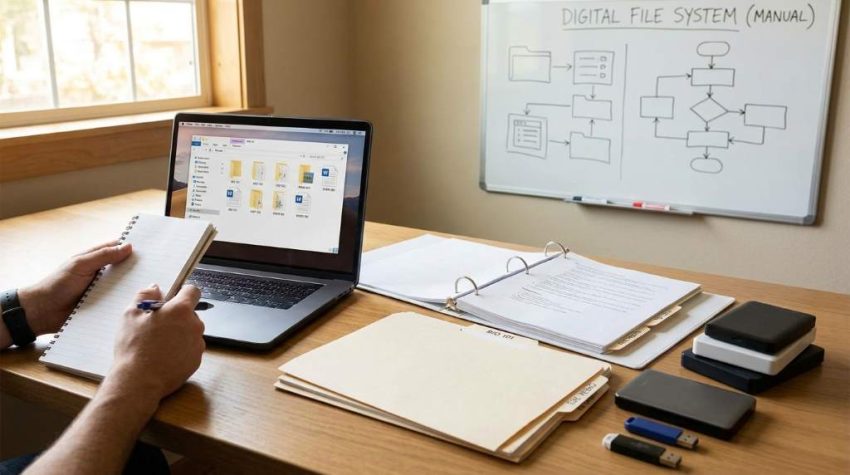
Managing study materials can feel overwhelming when digital notes pile up across devices and folders. Many students struggle to find important lecture points before exams because they save files without a proper system. According to research from the National Center for Education Statistics, over 94% of college students use digital tools for studying and note-taking. Additionally, productivity studies show that organized information improves learning efficiency and reduces study stress. That is why learning how to organize digital class notes without apps can save time, improve focus, and make studying easier every day.
Why Students Need A Simple Digital Note Organization System
Students often depend on complicated apps that create more confusion instead of improving productivity. However, a simple note management method works faster and requires less maintenance over time. Organized notes also help students revise topics quickly before quizzes and exams. Most importantly, a clean system reduces mental clutter and improves concentration during study sessions.
Creating a reliable study structure becomes easier when students combine note organization with modern learning strategies. Many learners also improve retention by using methods explained in immersive learning online education techniques for better classroom engagement. As a result, students can connect organized notes with deeper understanding and active recall. This combination creates a stronger academic workflow without depending on expensive software.
How To Organize Digital Class Notes Without Apps Using Folders

Folders remain one of the most effective ways to manage digital notes without additional tools. Every computer and cloud storage platform already includes folder management features for free. Students can separate files by semester, subject, or chapter to avoid confusion later. Moreover, folders make searching faster because everything stays in one logical structure.
Create Main Academic Folders
Start by creating a main folder for the school year or semester. Inside that folder, create separate subject folders such as Math, Biology, Literature, or History. This method keeps every course isolated and easy to access during busy study weeks. Furthermore, students avoid mixing unrelated documents together.
- Semester 1
- Semester 2
- Math Notes
- Science Assignments
- History Lecture Files
Use Consistent Naming Formats
File names play a major role in digital organization because random names become impossible to search later. Instead of saving files as “Notes1” or “Lecture Final,” use detailed titles with dates and topics. For example, “Biology_Cell_Structure_Sept12” works far better than generic labels. Consistent naming also speeds up file retrieval before assignments and exams.
Students who use memory-focused study methods often combine organized file naming with cognitive learning strategies. Helpful techniques discussed in brain based learning study tips can improve information retention during revision sessions. Consequently, students remember concepts more effectively while keeping their notes easy to locate. This approach supports both productivity and long-term academic performance.
Build A Weekly Note Maintenance Routine
Even the best organization system fails without regular maintenance and cleanup. Students should schedule a weekly review session to sort files and remove unnecessary duplicates. This habit prevents digital clutter from growing over time. Additionally, weekly organization reduces stress before major exams and project deadlines.
Review Notes Every Weekend
Choose one day every week to organize recently downloaded files and lecture materials. During this review, rename unclear documents and move misplaced notes into correct folders. Students can also archive completed assignments to separate current work from old material. As a result, the active study area stays clean and manageable.
Delete Unnecessary Duplicate Files
Duplicate files consume storage space and create confusion when students search for updated information. Therefore, remove old versions and keep only the final or most accurate copy. This habit improves storage management and prevents accidental use of outdated notes. Furthermore, cleaner folders improve focus during study sessions.
Use Built In Device Features For Better Organization
Most laptops and operating systems already include useful tools that students rarely use effectively. Features like search bars, color tags, favorites, and shortcuts can simplify note organization significantly. Students do not need advanced software when built in options already handle most tasks efficiently. Consequently, learning how to organize digital class notes without apps becomes easier and more practical.
Pin Important Study Folders
Pinned folders help students access frequently used subjects quickly without browsing multiple directories. Most operating systems allow users to favorite or pin folders for instant access. This feature becomes especially useful during exam preparation and assignment deadlines. Moreover, pinned folders reduce wasted time searching through files.
Use Search Functions Smartly
Search bars become powerful tools when students use proper file names and keywords consistently. Instead of manually browsing folders, students can type chapter names, dates, or subjects to locate files instantly. This method saves valuable study time every week. Additionally, efficient searching improves productivity during fast-paced academic schedules.
Create Separate Spaces For Different Study Materials
Mixing assignments, class notes, presentations, and research papers inside one folder creates unnecessary confusion. Students should divide materials based on purpose and academic function. This separation improves clarity and keeps workflows more organized throughout the semester. Furthermore, students can focus better when every file category has its own location.
Separate Lecture Notes From Assignments
Lecture notes should remain independent from homework and project files to avoid distractions during revision. Students can create folders such as “Lecture Notes,” “Homework,” and “Research Materials” inside each subject folder. This setup keeps academic content organized and easier to review. Consequently, students spend less time searching for important documents.
Create An Archive Folder
Old completed work should move into archive folders at the end of each semester. Archived materials remain available for future reference without cluttering current study areas. This method also improves device performance by reducing active folder overload. In addition, archived notes may help students prepare for cumulative exams later.
Use Simple Color Coding Methods
Color coding creates visual organization that helps students recognize subjects faster. Many operating systems allow users to apply colored tags or labels to files and folders. Students can assign one color to each subject for better visibility and navigation. As a result, digital study spaces become cleaner and easier to manage.
Assign Colors By Subject
Students can use blue for science subjects, green for mathematics, and yellow for literature files. This visual pattern improves recognition speed while reducing mental effort during study sessions. Furthermore, color association strengthens memory and improves workflow consistency. Small visual improvements often create significant productivity benefits.
Avoid Overusing Too Many Colors
Using excessive colors can make folders appear messy instead of organized. Therefore, students should limit their system to four or five main colors only. Consistent color usage improves recognition and avoids visual clutter. Additionally, simple systems remain easier to maintain throughout the academic year.
Keep Notes Synced Across Devices Without Apps
Students often switch between laptops, desktops, and tablets while studying. Therefore, syncing files manually through cloud storage folders creates a simple and effective workflow. Built in services like Google Drive, OneDrive, or iCloud already support file synchronization without requiring extra note-taking applications. Consequently, students can access notes anywhere while keeping everything organized.
Use Cloud Storage Carefully
Cloud storage protects notes from accidental device failures and data loss. Students should create the same folder structure inside cloud storage to maintain consistency everywhere. This setup allows instant access to study materials from multiple devices. Moreover, cloud backups improve academic security during important semesters.
Download Important Files Offline
Internet issues can interrupt studying during travel or emergencies. Therefore, students should download critical lecture notes and assignments for offline access. Offline copies ensure uninterrupted studying even without internet access. Additionally, this method prevents panic during unexpected technical problems.
Develop Better Study Habits Around Digital Notes
Organization works best when students combine it with strong study habits and routines. Notes become more valuable when students review them regularly instead of only before exams. A structured study process improves comprehension and long-term memory retention. Most importantly, consistent habits reduce academic stress significantly.
Summarize Notes After Every Class
Students should spend a few minutes reviewing and summarizing notes immediately after lectures. This habit reinforces understanding while helping students identify missing information early. Short summaries also make revision easier during exam preparation periods. Consequently, students build stronger learning habits over time.
Use Checklists For Pending Tasks
Simple text files or spreadsheet lists can track unfinished assignments and upcoming deadlines effectively. Students do not need task management apps when basic checklists already provide enough structure. Organized task tracking also prevents missed deadlines and forgotten responsibilities. Furthermore, students feel more confident when academic priorities stay visible.
Common Mistakes Students Should Avoid
Many students create overly complicated systems that become impossible to maintain consistently. Others save files randomly and promise to organize them later, which rarely happens. Avoiding these mistakes keeps digital organization simple and sustainable long term. Additionally, small consistent habits produce better results than complex systems.
Saving Files On The Desktop Only
Desktop clutter creates distractions and slows down productivity over time. Students should move files into organized folders immediately after downloading or creating them. This habit maintains a cleaner workspace and improves concentration. Consequently, important documents become easier to locate later.
Ignoring Backup Copies
Losing class notes before exams can create major academic stress and frustration. Therefore, students should always maintain backup copies through cloud storage or external drives. Reliable backups protect valuable study materials from accidental deletion or technical failures. Moreover, backups provide peace of mind during important academic periods.
Conclusion
Learning how to organize digital class notes without apps helps students save time, reduce stress, and improve academic performance. A simple folder structure, consistent naming system, and weekly maintenance routine create an efficient digital workspace without relying on complicated tools. Students who build strong organization habits often study more effectively and retain information longer. Additionally, combining note organization with modern academic strategies can support long-term educational and career success.
Students who want to strengthen their future opportunities can also explore career growth formal education strategies for long-term professional development. Start organizing your notes today with a simple structure that fits your learning style. Small changes in digital organization can create major improvements in productivity and academic confidence. Most importantly, consistency matters more than using advanced technology.
FAQs
What is the easiest way to organize digital class notes without apps?
The easiest method is using folders categorized by subject, semester, and topic with clear file names.
Why should students avoid complicated note-taking apps?
Complicated apps can create distractions, confusion, and extra maintenance that reduce productivity.
How often should students organize their digital notes?
Students should review and organize notes at least once every week.
Can cloud storage help organize digital notes?
Yes, cloud storage keeps files accessible, backed up, and synchronized across devices.
How to organize digital class notes without apps effectively?
Students should use structured folders, consistent file names, regular cleanup, and simple backup systems.